Everything villatab does for a villa or homestay
villatab is a booking and operations back office for villas, homestays and small resorts. Here is what each part does, in plain words.
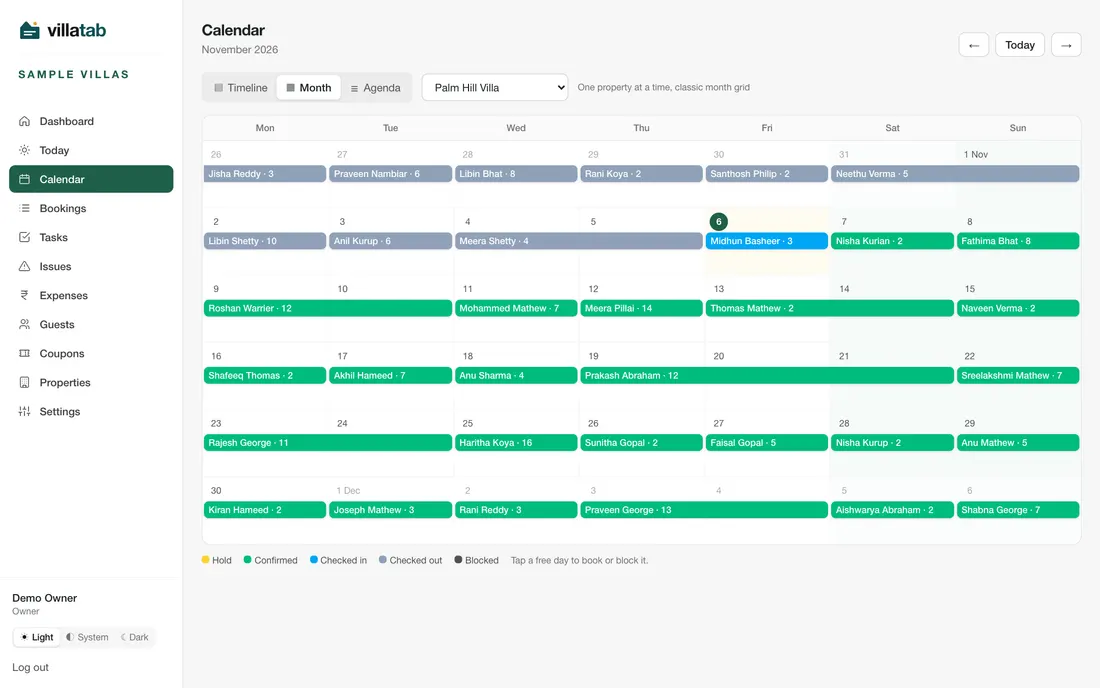
Availability calendar with holds
One calendar shows every property and unit. A booking holds its dates, and the database refuses a second booking for the same unit on the same night.
- Three views: Timeline, Month and Agenda.
- Tap a free day to book it or block it, for example for repairs.
- Holds end after the hours you set, so unpaid holds free the dates.
- See availability while you make a new booking.
Bookings with their own numbers
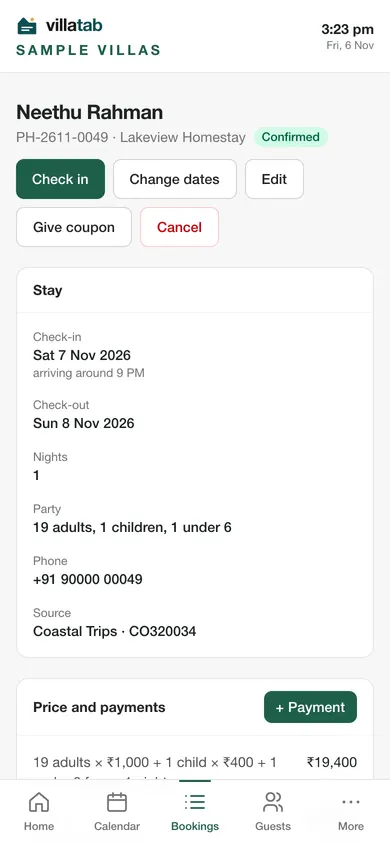
Every booking gets a number with your own prefix, like PH-2611-0049, and moves through clear steps: enquiry, hold, confirmed, checked in, checked out.
- The price works out live as you pick dates and guests, including children and extras.
- Change dates, edit details or cancel from the booking.
- A timeline records what happened and who did it. Add notes for your team.
Advance and balance payments
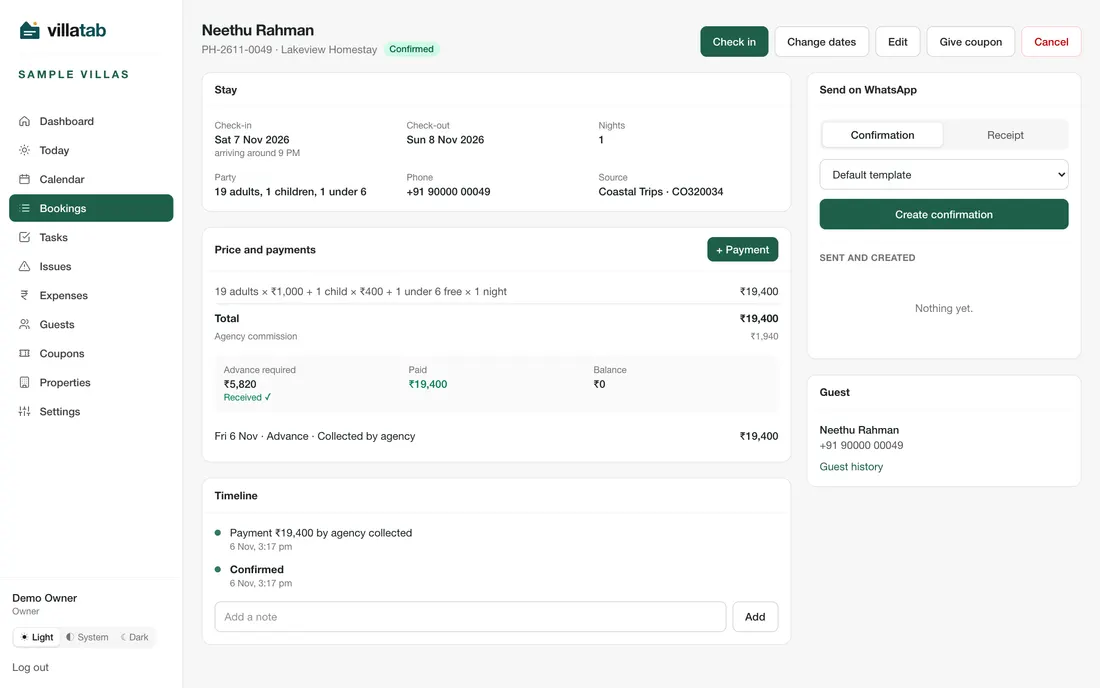
Record each payment against the booking. villatab shows the advance required, what was paid and the balance, and updates them as you add payments.
- Methods: UPI, cash, bank transfer, card, or collected by an agency.
- Keep a reference number and a receipt photo.
- Optionally confirm a booking when its advance is recorded.
- Create a payment receipt for the guest.
villatab does not take online payments. You collect by UPI, cash or bank transfer and record it.
Rates for seasons, weekends and extras
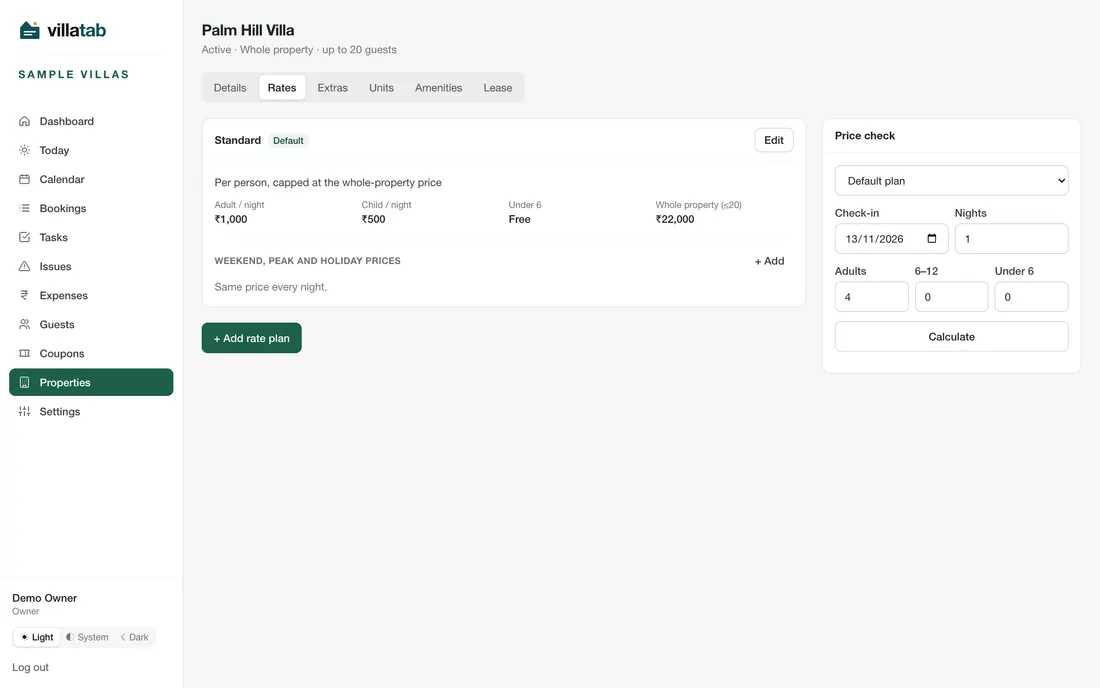
Set prices by adults and children or a flat rate, with different prices for weekends, peak days and holidays, plus paid extras like a campfire or a kitchen.
- Several rate plans per property.
- Group rates when a party is large.
- A price check tool to test any dates before you quote.
Agencies and commission
Add each agency with its usual commission. A booking from an agency keeps its own commission percentage and amount, and a payment can be marked as collected by the agency.
- See direct and agency bookings side by side for the month.
- Source tracking: agency, WhatsApp, phone, Instagram, walk-in, referral and website.
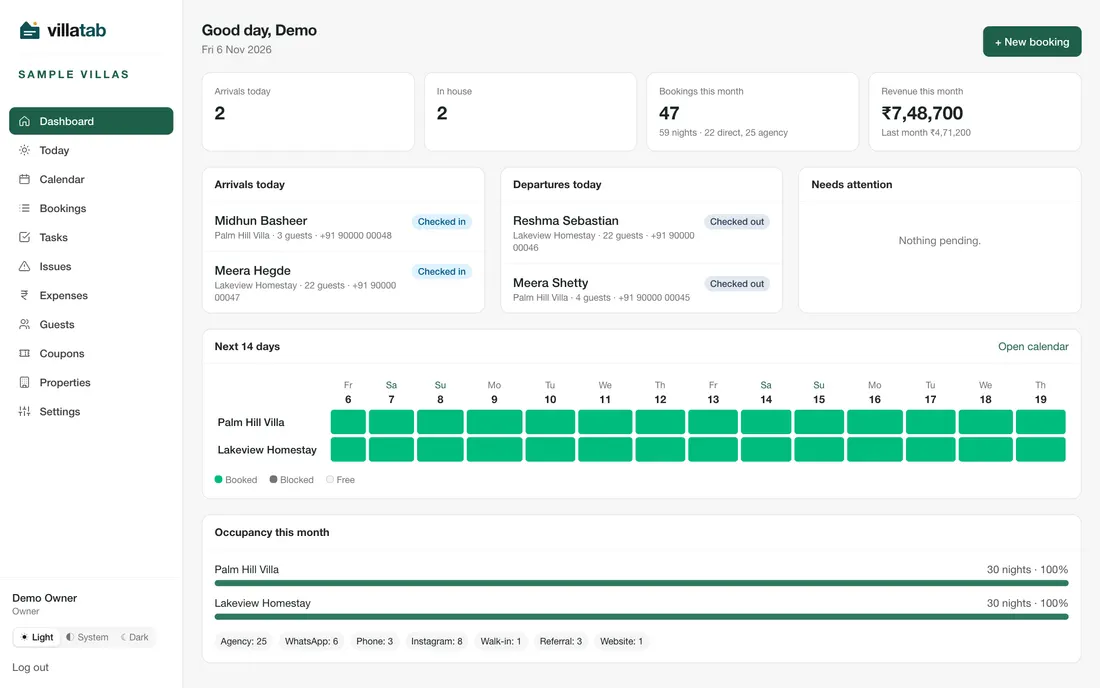
Documents and WhatsApp confirmations
villatab builds the booking confirmation from the booking: a WhatsApp card image, a PDF and the message text. You open WhatsApp with the message filled in, attach the image and send.
- Documents: booking confirmation, payment receipt, check-in instructions and invoice.
- Pick a layout, add your logo, colours, house rules and cancellation policy.
- UPI details on the document, and each one marked as sent or not.
villatab does not send WhatsApp messages by itself. Invoices do not include GST details yet.
Referral coupons as a boarding pass
Give a guest a discount code for a return visit or a friend. villatab draws it as a boarding-pass style card, as an image for WhatsApp and a PDF to print.
- A fixed amount or a percentage, with an optional cap and minimum.
- One use per code, and an end date. Cancelling a booking gives the code back.
- Make up to 200 codes for a campaign, such as Onam.
- The card carries a QR that opens a WhatsApp chat with your business.
Give a coupon at check-out
Use Give coupon on a booking, or make codes in bulk from the Coupons menu. Only the owner creates coupons.
Staff, roles and daily tasks
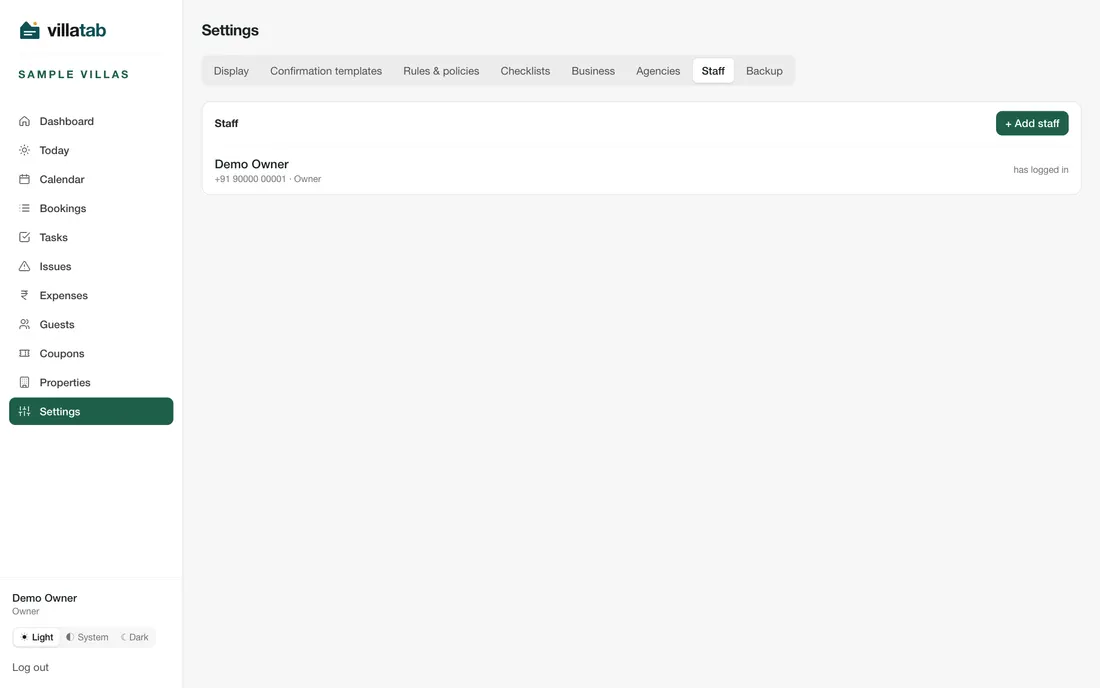
Add your manager and caretakers. Each person is an owner, manager or caretaker, and you choose which properties they can open.
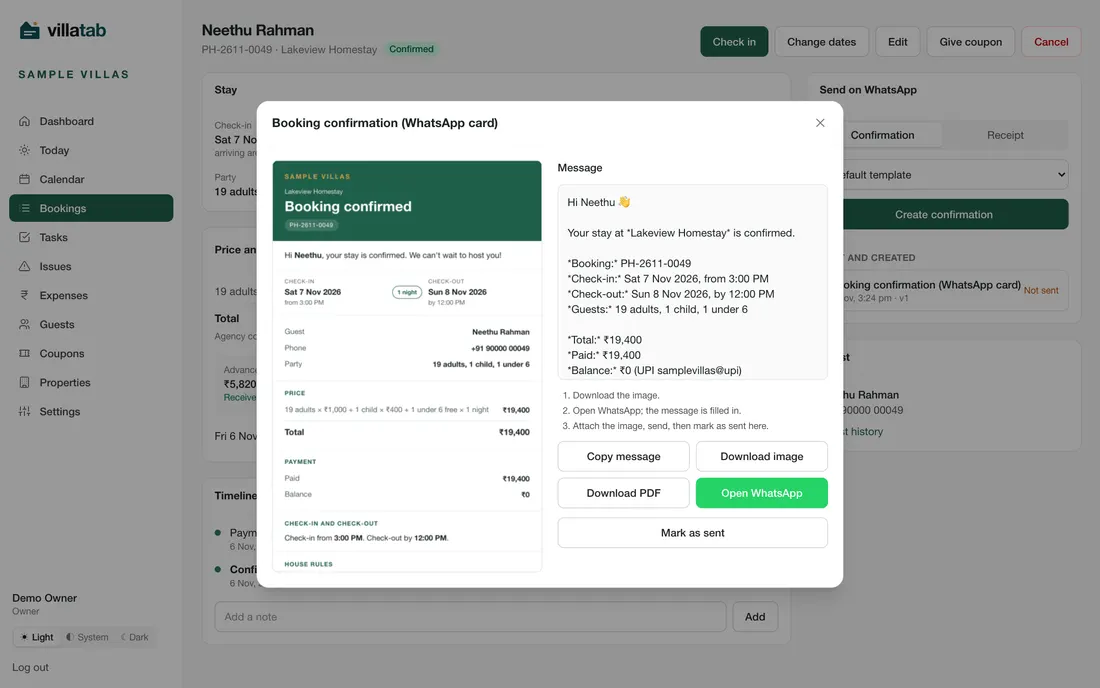
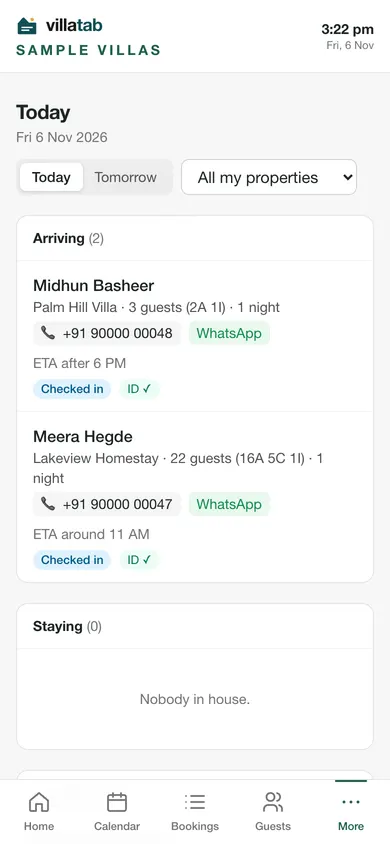
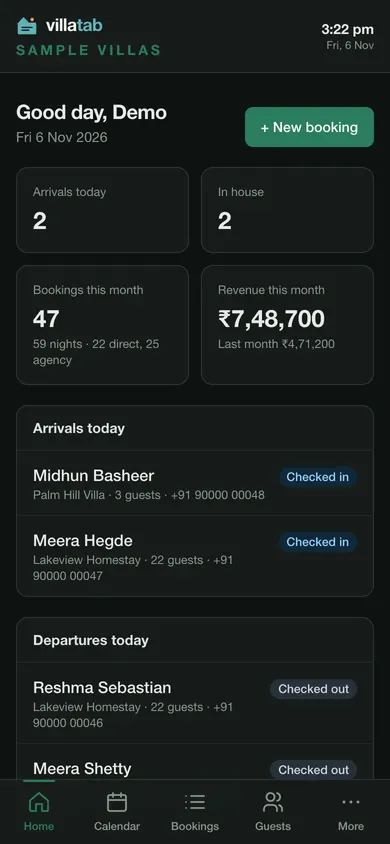
- A Today screen for arrivals, guests in the house, departures and tasks due.
- Check-in with an ID proof photo and balance collection. Check-out with a damages note.
- Housekeeping checklists made for each confirmed booking.
- Maintenance issues with photos, and expenses with receipts that the owner approves.
Guests and their history
Every guest has one record with their stays, so you see who has visited before and can welcome them back.
- Search by name, phone or booking number.
- Suggestions appear as you type a returning guest's name.
Returning guests
When someone books again, villatab finds their record, so their history comes with them.
Five languages, light and dark, on a phone
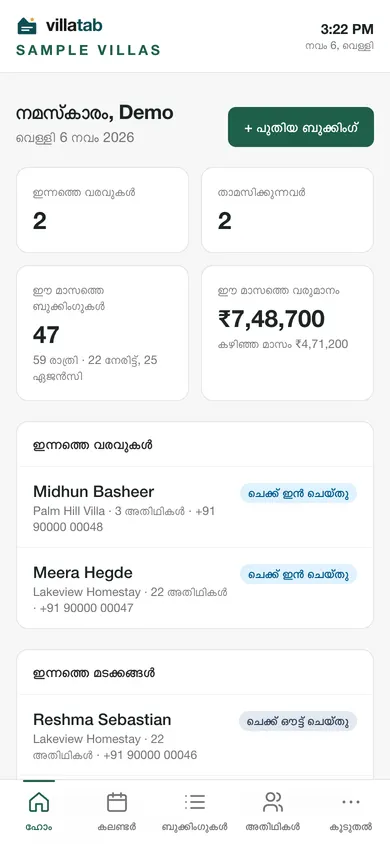
Choose English, Malayalam, Tamil, Hindi or Kannada on each device. The main screens switch language. A light, dark or system theme is also your choice.
A few detailed screens, such as booking detail and the new-booking form, are still in English only.
Owners, managers and caretakers
Give each person the right screens. Owners manage everything. Managers run bookings. Caretakers see what they need on the ground.
- Per-property access for each person.
- If someone forgets a password, the owner sends a single-use reset link, usually on WhatsApp.
Daily backups to your Google Drive
After you connect your Google Drive in Settings, villatab saves a zip of your business data there once a day, in a folder named after your business. You pick the hour and how many copies to keep.
- "Back up now" runs one on demand.
- The copy is yours, in your Drive.
Your data stays yours
villatab serves many businesses on one system, and each one's data is kept apart from every other business by the database itself. No business can see another's bookings or guests.
What villatab does not do yet
So you are not surprised later.
- Online payments. You collect by UPI, cash or bank transfer and record it.
- Sending WhatsApp messages by itself. You tap to send.
- GST details on invoices.
- Two-way calendar sync with Airbnb or Booking.com.
- Card autopay for the subscription.
Read more
Not sure you need software yet? Read villatab vs spreadsheets and WhatsApp. Want practical tips first? See our guides for villa and homestay owners or the pricing.
See it with your own property
Start the 14-day trial, or ask us a question first.